How to buy and exchange bus tickets online
General information about buying tickets on the Baltic Shuttle website
Purchasing tickets through the Baltic Shuttle Tickets Online System (hereinafter referred to as the System) is available both with and without registration in the System.
With every ticket purchase, the passenger is notified of and sent an order number and a PIN code via Email to manage the order.
Tickets purchased without registration can subsequently be added to your Personal Account in the System.
Exchange of tickets is possible only if they are added to your Personal Account in the System, i.e. with registration in the System.
Ticket returns are possible without registration, using the order number and PIN code.
Registration also allows you to accumulate trips to receive a discount. Previously completed trips can also be added to your account after registration.
If tickets are purchased after registering and logging into the System, the purchased tickets will be added to your account automatically.
The maximum cost of tickets in a single order is €500. If you need to purchase tickets for a larger amount, you can place multiple orders, each totaling no more than €500.
Ticket Payment Methods
Payment in the Baltic Shuttle Online ticketing system can be made using Visa and Mastercard payment system bank cards, via the PayPal payment system, as well as directly from bank accounts of Estonian, Latvian, and Lithuanian banks (SEB, LHV, COOP, Luminor, Swedbank, Citadele, URBO, Artea).
Ticket Purchase
Buy Tickets Online ➚ for Baltic Shuttle bus trips
Buying tickets without registering in the System
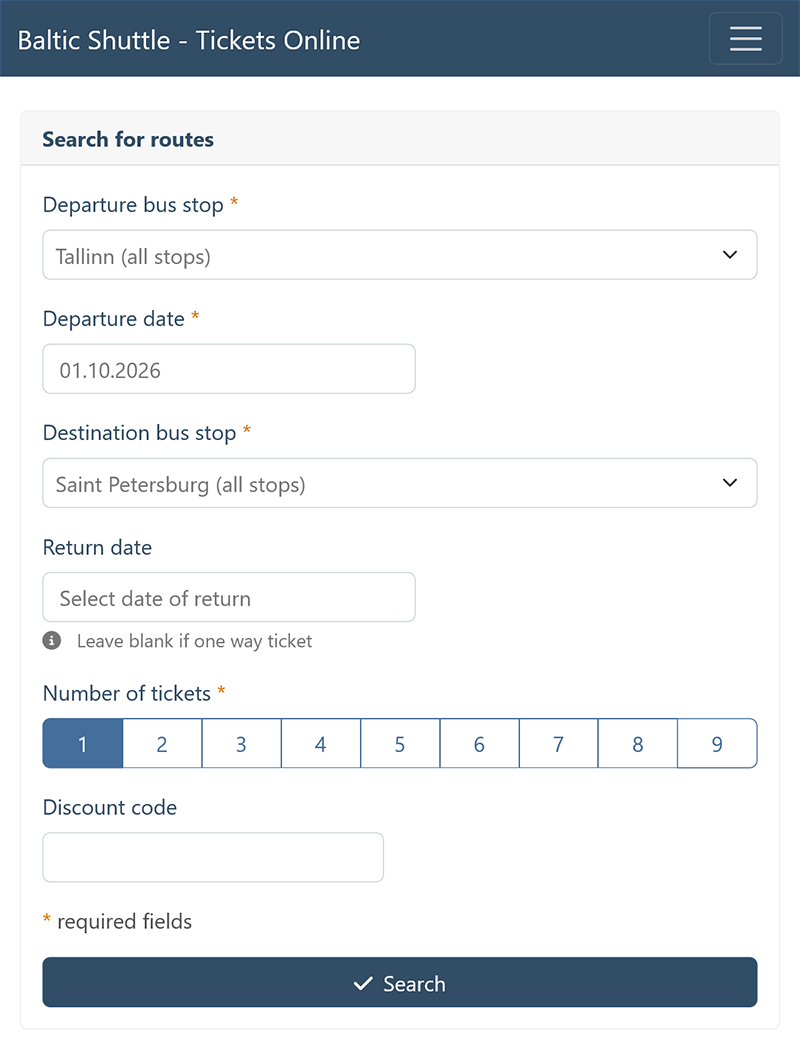
On the route search screen, select your desired departure point and destination. Choose the departure date and, if necessary, the return date if you wish to purchase round-trip tickets at once. Specify the number of tickets. Perform a route search for the selected dates.
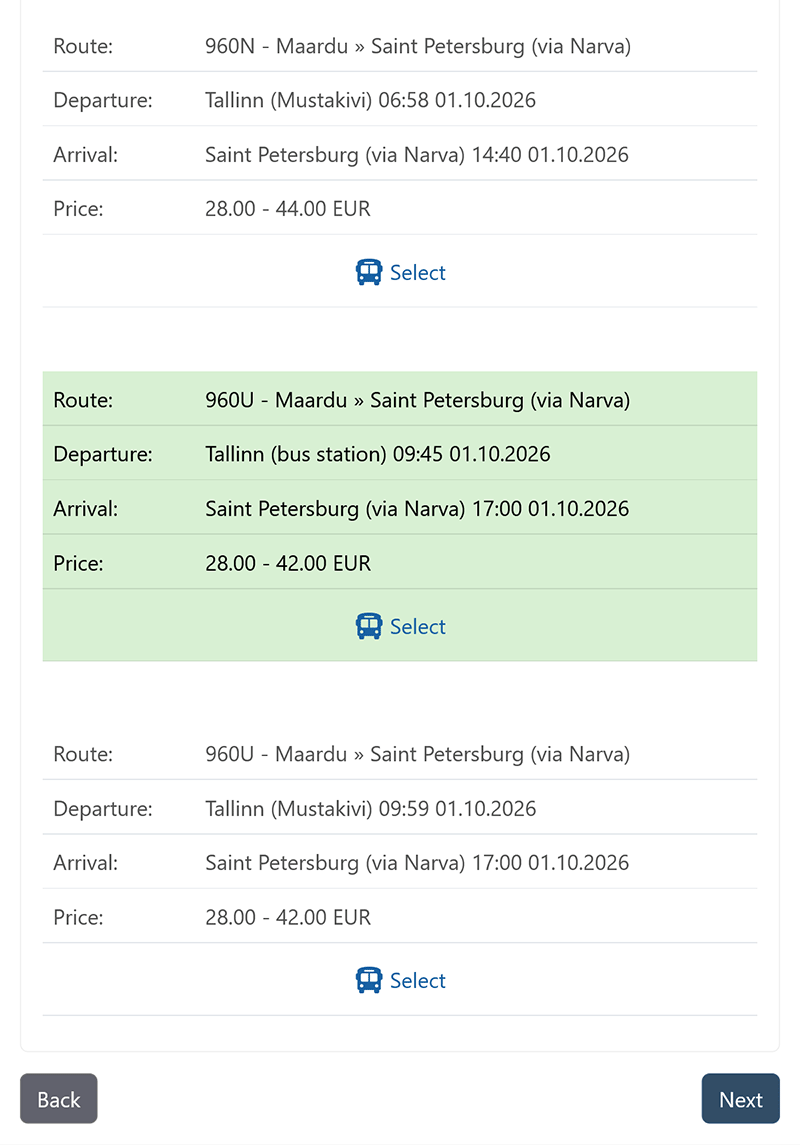
In the search results, select the appropriate trip for each direction of travel and click the "Next" link. If the search yields no results, check our website to see on which days of the week trips are operated on this route and adjust the dates. Once the appropriate trips are selected, proceed to purchase the tickets.
On the purchase screen, fill in all mandatory fields. Enter your First Name and Last Name exactly as they appear in your official ID document. Carefully fill in the Email field — the order management PIN code and the tickets themselves will be sent to it. Be sure to provide your phone number in full, including the country code. Select the ticket type based on the age or discount group.
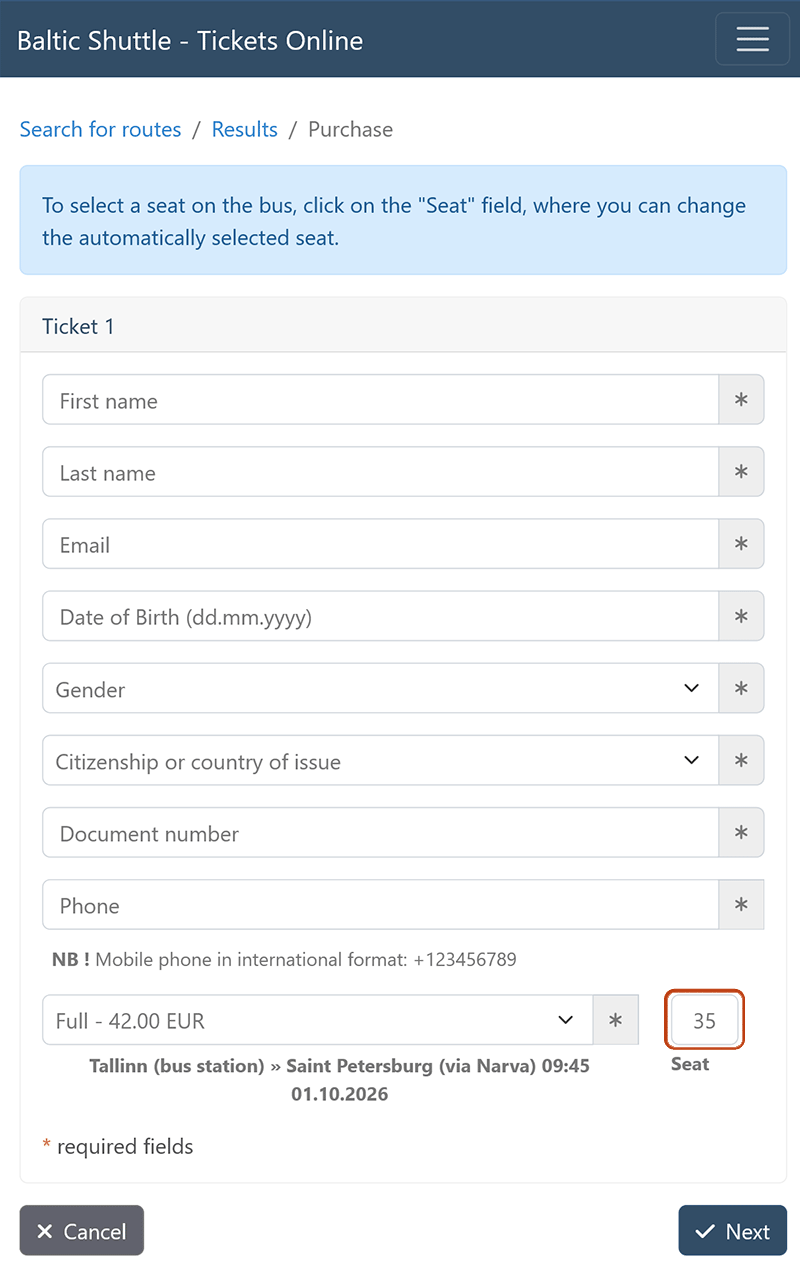
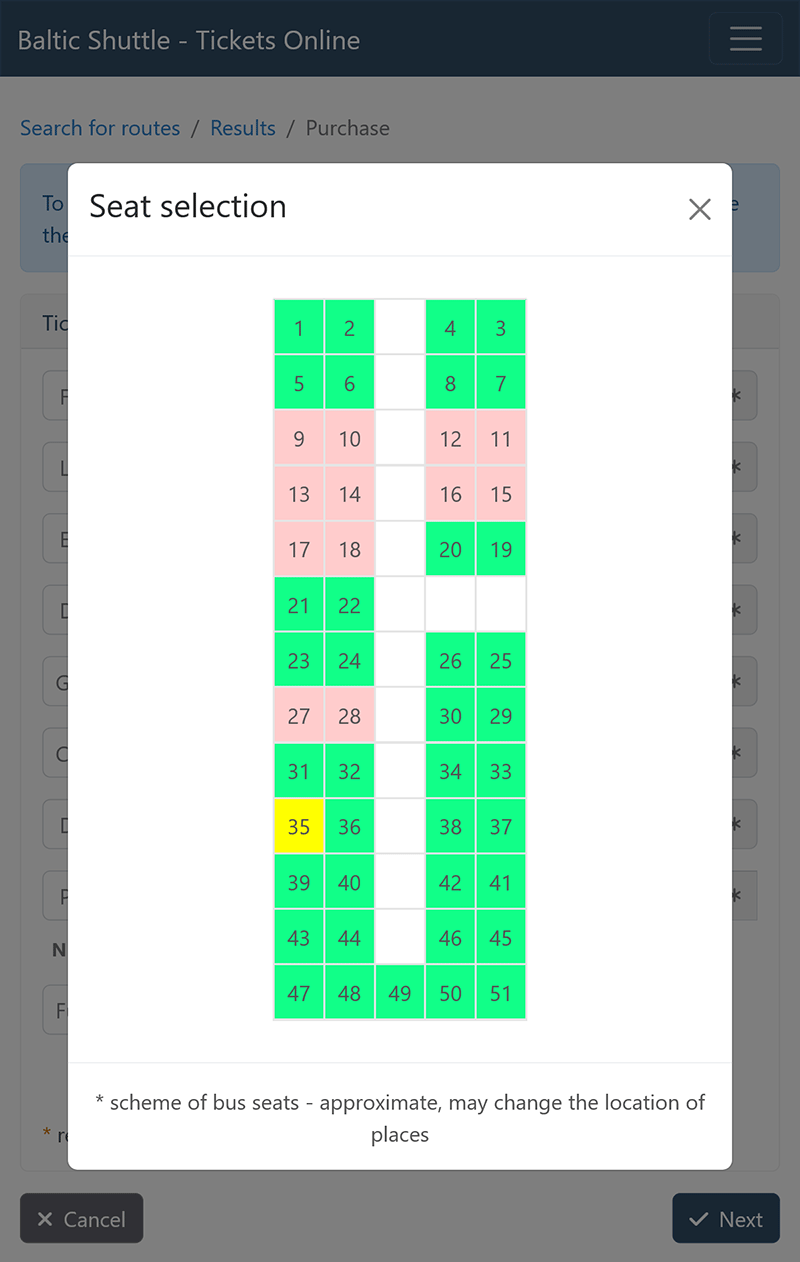
Passenger seats on the bus are assigned automatically, but you can also choose seats manually by clicking on the "Seat" field.
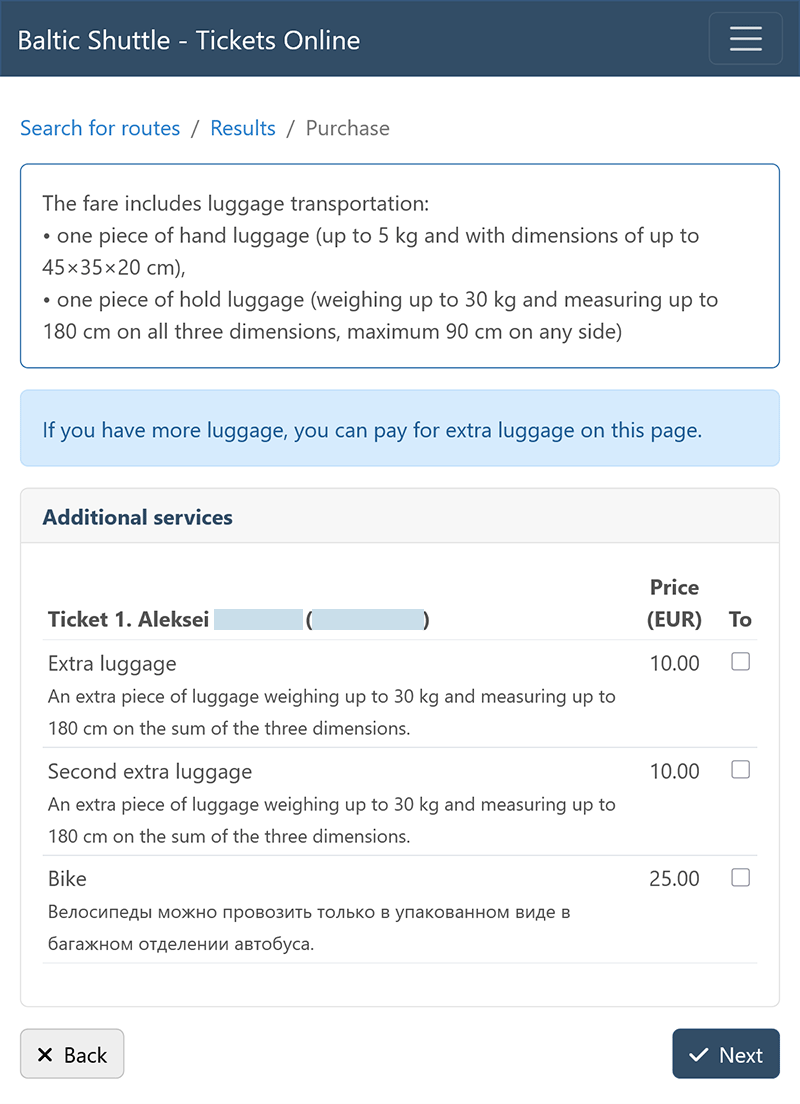
On the next screen, you can pay for an additional piece of luggage and a bicycle. The ticket price includes the carriage of one piece of hand luggage and one piece of checked luggage. To pay for extra luggage, select the corresponding options.
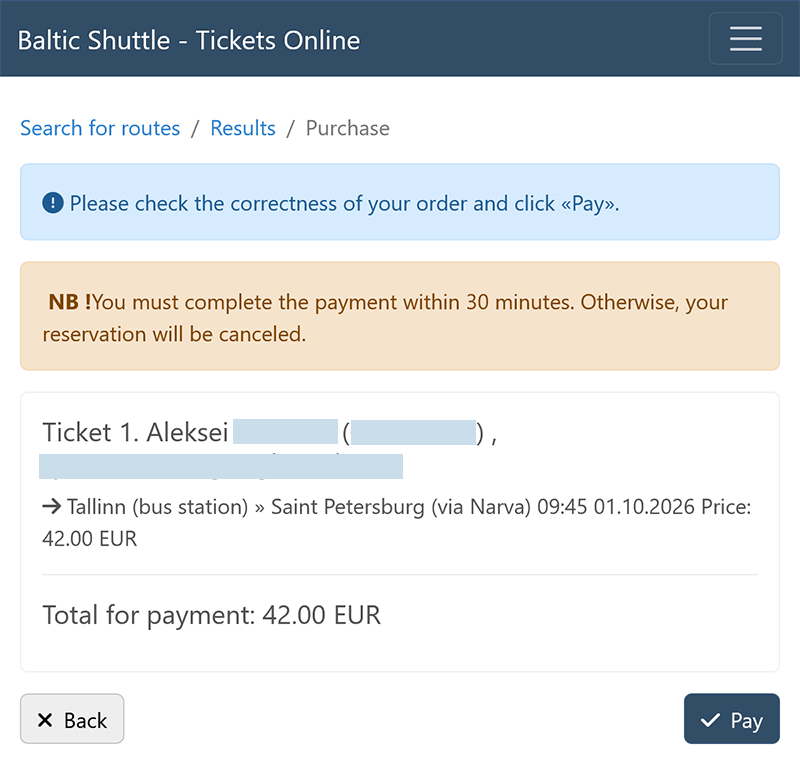
Verify the accuracy of the entered information and proceed to the payment page. Payment must be completed within 30 minutes; otherwise, the seat reservation will be canceled.
Payment is processed through the SEB bank payment gateway. Payment can be made using Visa and Mastercard bank cards, via the PayPal payment system (in the Banks tab), as well as from bank accounts of Estonian, Latvian, and Lithuanian banks. Enter the payment details for your chosen payment method and, if necessary, confirm the transaction using the security protocols applied by your bank (confirmation must be completed within 15 minutes). Please see our recommendations for making online payments.
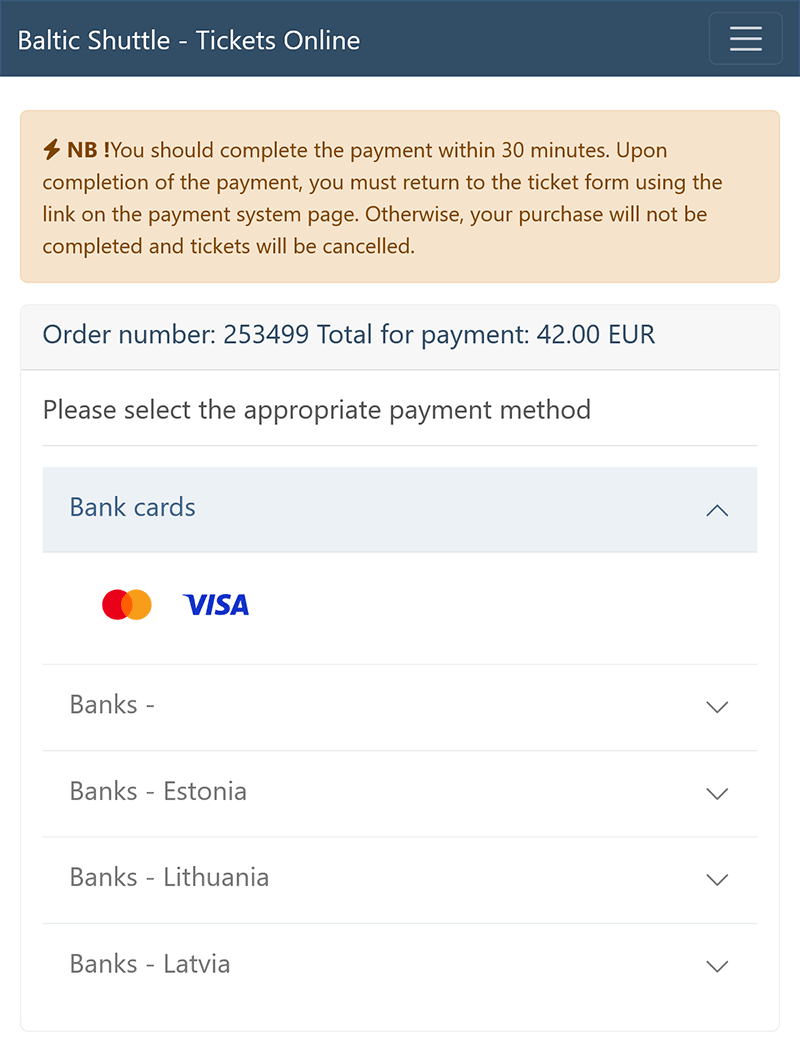
When paying with Visa and Mastercard, there is an option to use the Click to Pay fast checkout system.
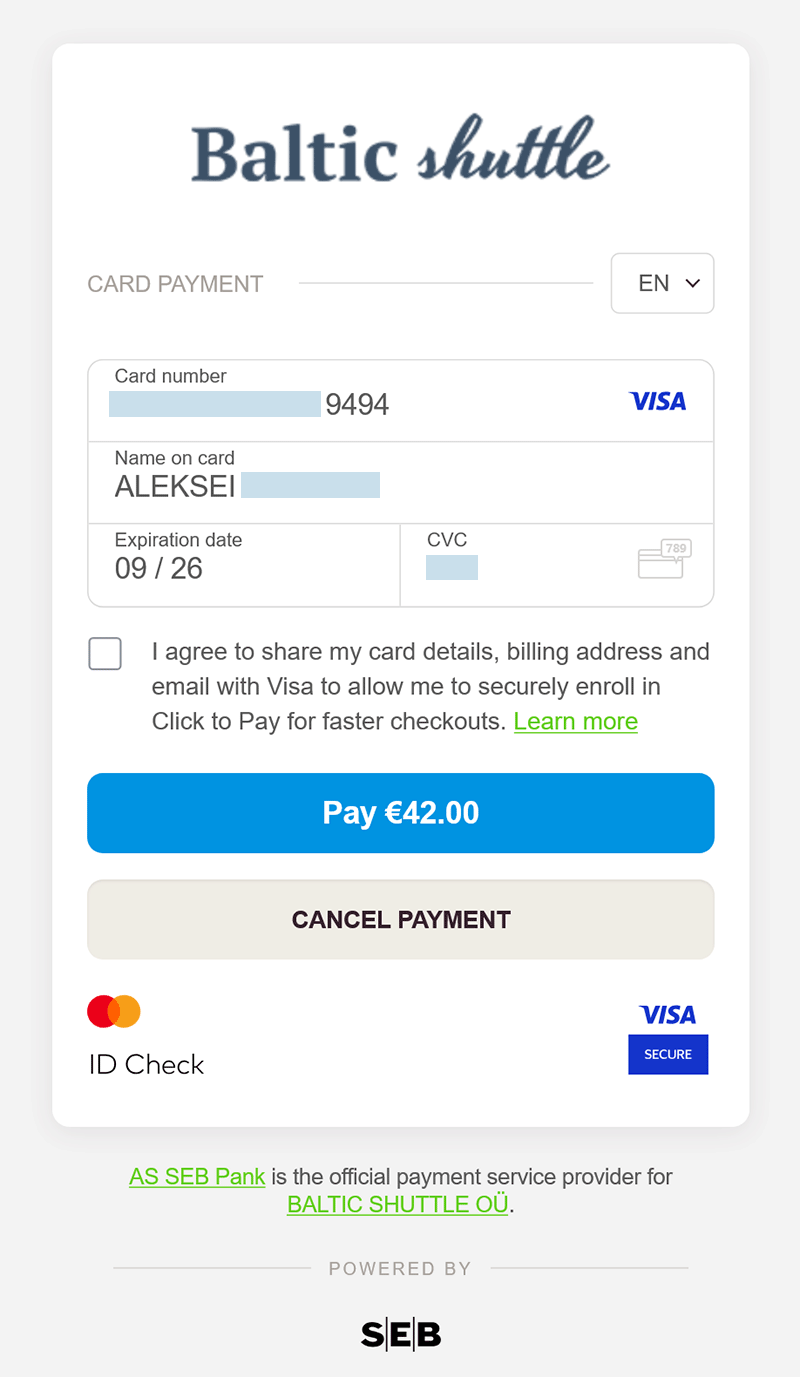
Upon completing the payment in the SEB bank payment system, you must return to our ticketing system via the link provided in the payment gateway (if this does not happen automatically) to complete the ticket purchase process. Otherwise, the purchase will not be completed, and the tickets will be canceled.
In the event of a successful payment, you will be shown the order number, the order management PIN code, and an option to save the tickets as a PDF file. This order information and the tickets will also be sent to your email address. We recommend saving the tickets to your electronic device immediately.
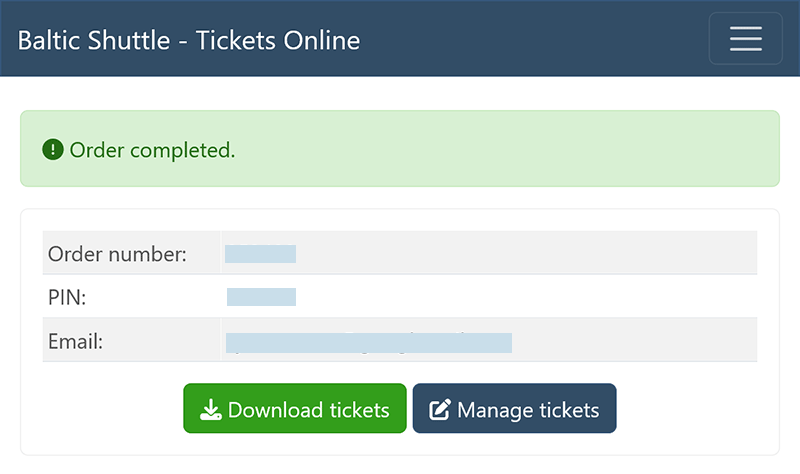
If the payment is unsuccessful, you will be redirected to the payment method selection page and will be able to make a new payment attempt.
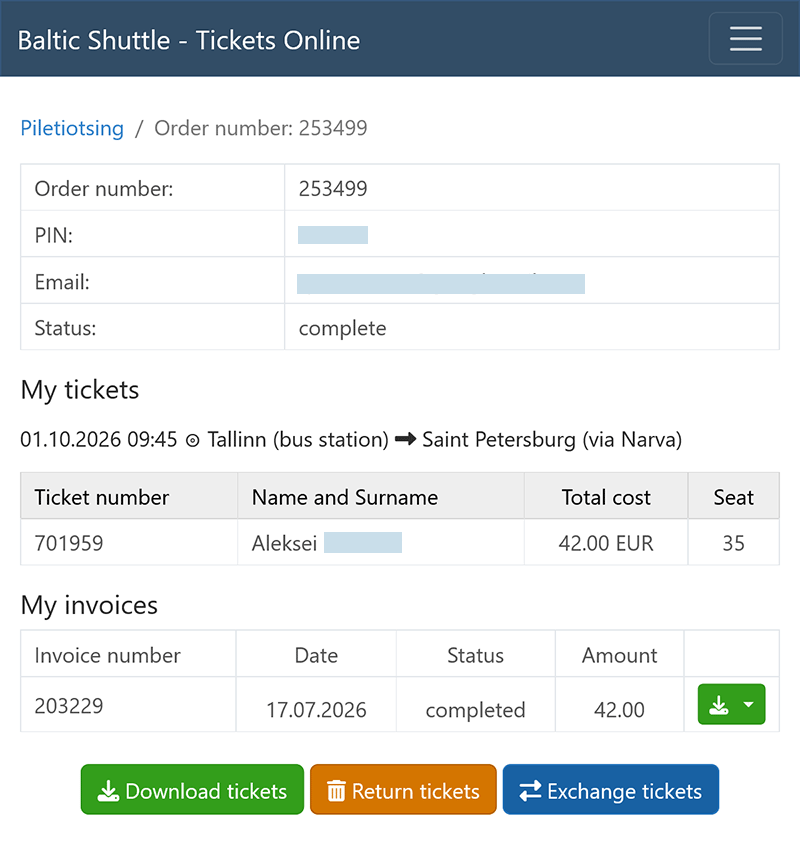
After payment, you can proceed to the order page, where you can view ticket information, download tickets as files, or return tickets. Exchanging tickets is only possible in the Personal Account after registration and adding the tickets to your account.
Purchasing Tickets After Registration in the System
After registering and logging into the System using your Email address and password, the ticket purchasing process differs only in that your personal profile data will be filled in automatically, and you will not need to manually add the purchased tickets to your account. Ticket exchange is available for registered users in their Personal Account.
Account Registration in the System
Registration is not mandatory for purchasing tickets, but it allows the passenger to fill in their personal details once without re-entering them for each purchase, exchange tickets, and accumulate trips to receive the seventh trip for free.
Upon registration, your Personal Account is created, using your Email address as the login.
To register, provide your First Name, Last Name, Email, and password (password length must be at least 6 characters).
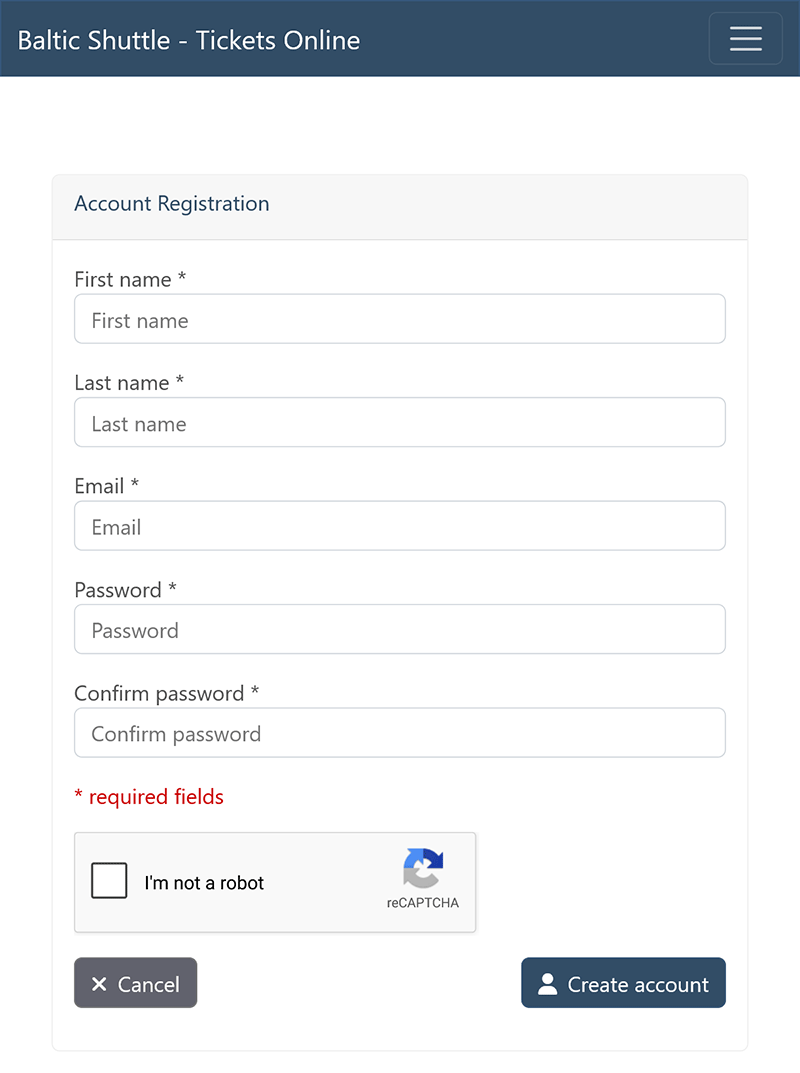
To verify your Email address, an Email containing a link to the confirmation page will be sent to you. The Email address must be verified within two hours.
If you have not received the Email, check the Spam folder in your Email service — the message might have been filtered there. You can also attempt registration again.
After registration, the passenger can fill in all the necessary details for ticket purchases (so they will not need to be re-entered in the future): phone number, date of birth, identity document number, gender, and citizenship.
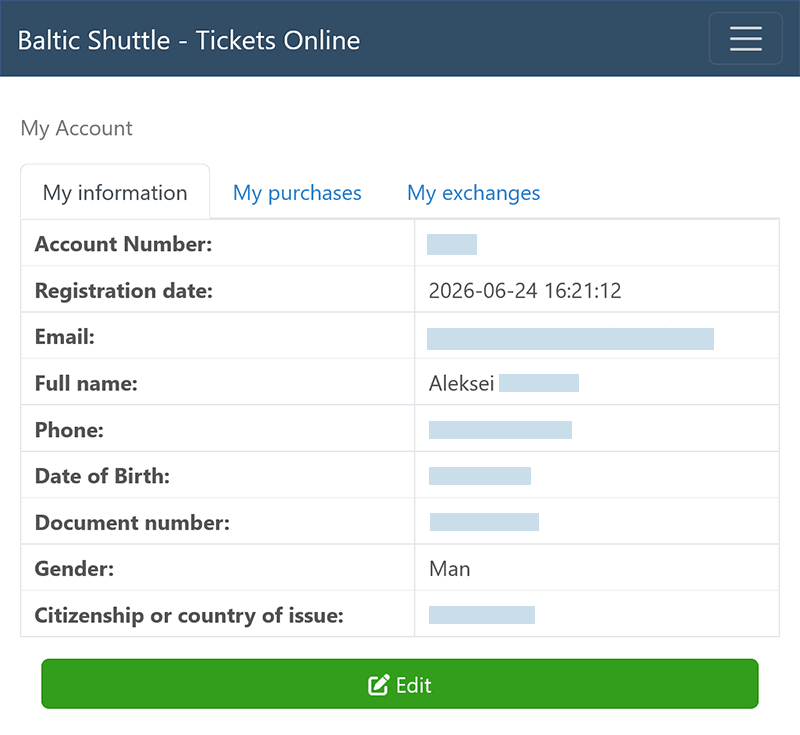
Adding Previously Placed Orders
A registered user can add previously completed ticket purchases to their Personal Account. This is necessary, for instance, to exchange previously purchased tickets if the purchase was made prior to registration. To add previously purchased tickets to "My purchases", you must enter the order number and its PIN (sent via Email).
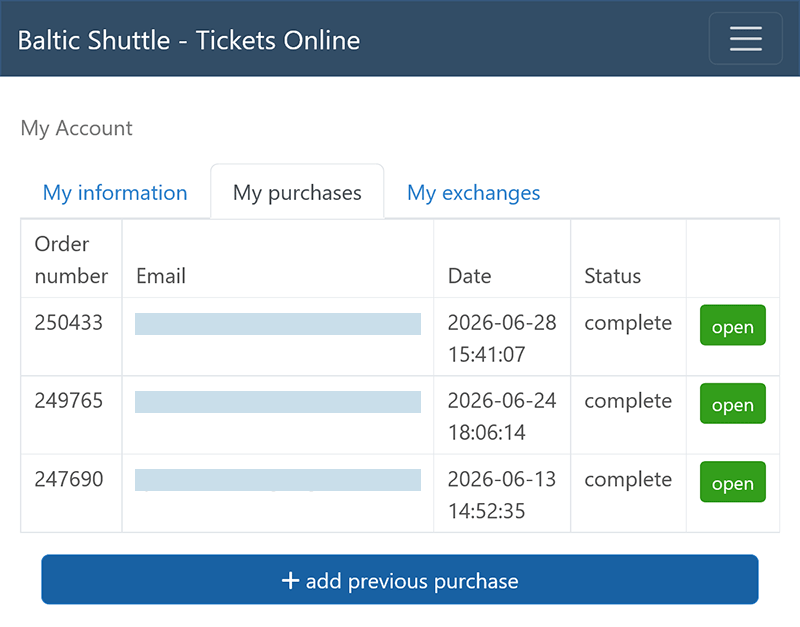
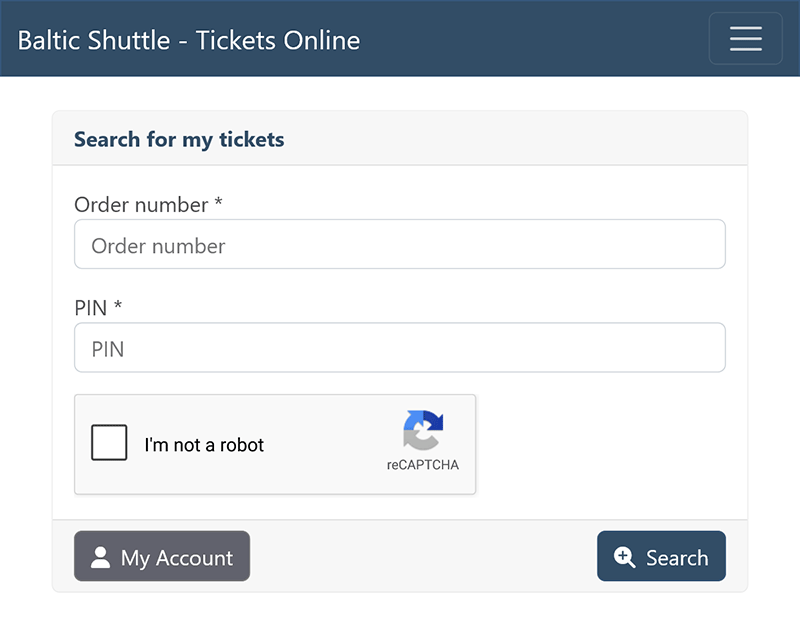
Confirm the addition of the located order by clicking the "Add tickets to my account" link.
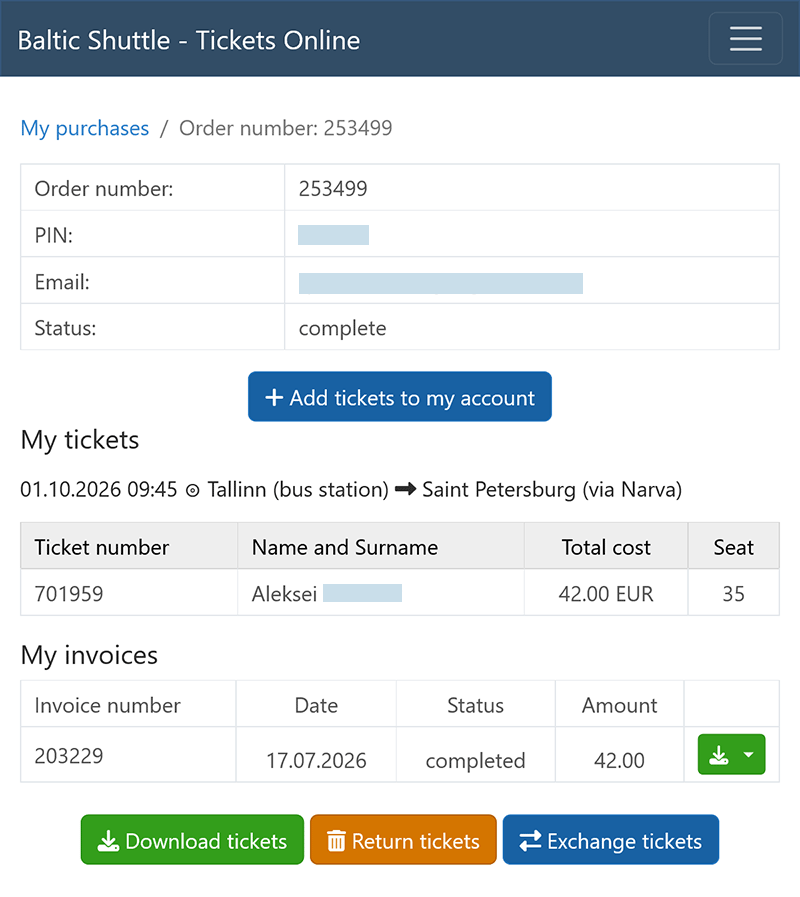
Login to manage your tickets
Ticket management allows you to view your orders (ticket purchases), download tickets, make refunds and exchanges.
All passengers can log in to Order Management (login using order number and order PIN code).
Registered passengers can also log in to their Personal Account (login using Email and password) for advanced order management, ticket exchange, personal profile editing, etc.
Login by order number and PIN code ➚
You can log in using the PIN code, which is generated for each order. The order number and PIN is displayed after the purchase and is sent to your Email. Once logged in using the PIN, purchased tickets can be viewed and downloaded, as well as tickets can be returned.
Login by Email and Password ➚
If you have registered and created an account, you can log in to the Personal Account by entering your Email and password. After logging into the System you will be able to exchange tickets, collect journeys for free rides, and buy tickets more conveniently and quickly.
Password recovery (resetting) ➚
If you have forgotten your password for Personal Account, use password recovery function. Enter your Email address and, in the letter you will receive, click on the link to reset your password.
Ticket Exchange
Exchange option is available only for registered and authorized users in the System.
Tickets may be exchanged up to 12 hours before the departure time indicated on the ticket.
Ticket exchange is carried out by crediting the cost of the tickets to be exchanged to your account in your Personal Account. The balance on this account can be used to purchase new tickets within 9 months after the return of the tickets to be exchanged.
If you have purchased tickets in the Baltic Shuttle System without pre-registration, you must first register. After registration and logging into the System with Email and password, add the previously purchased tickets to your account, for which you need to know the order number and its PIN (sent to Email upon purchase). Enter the order number and PIN to search for previously purchased tickets. Once the found tickets are displayed, confirm their addition.
To begin the ticket exchange, navigate to the order page and click the "Exchange tickets" button. Select the tickets you wish to exchange and confirm their exchange.
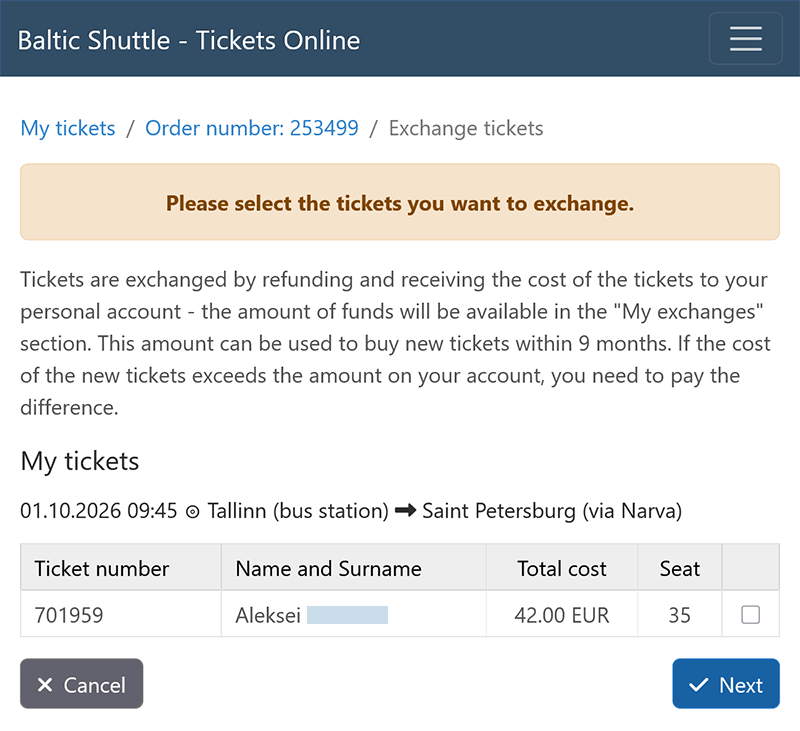
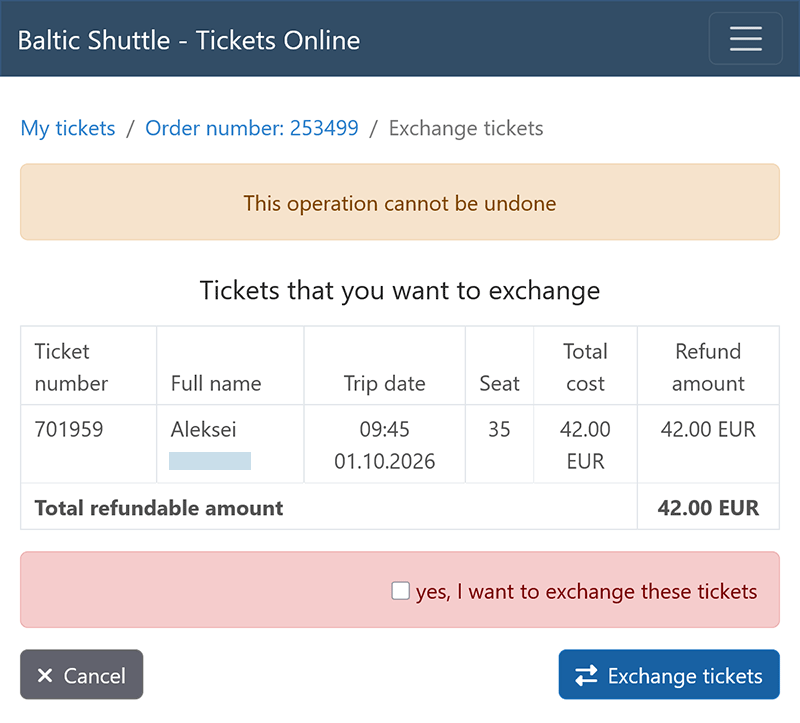
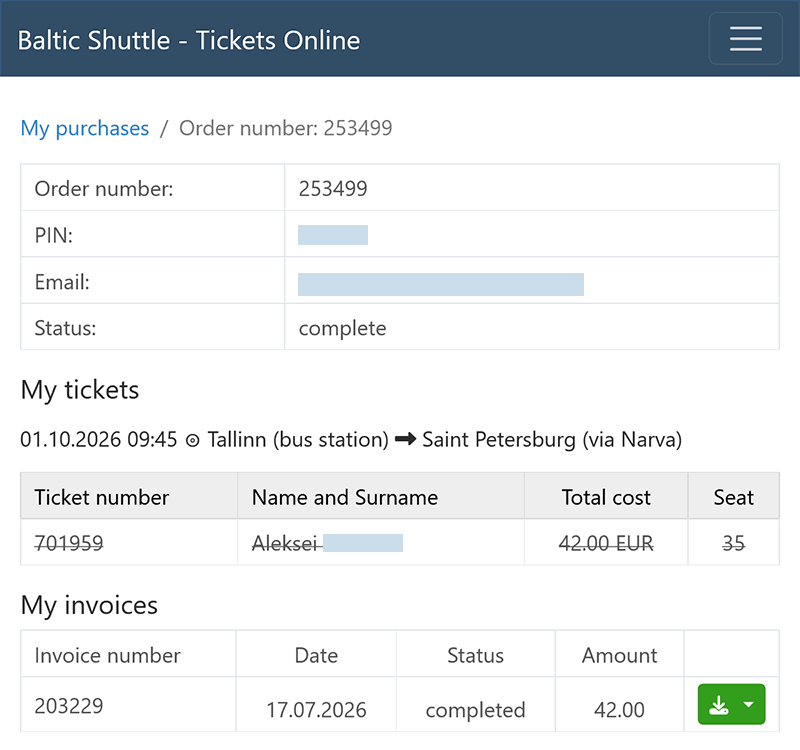
In your account, on the “My exchanges” tab, a balance equal to the cost of the tickets being exchanged will appear.
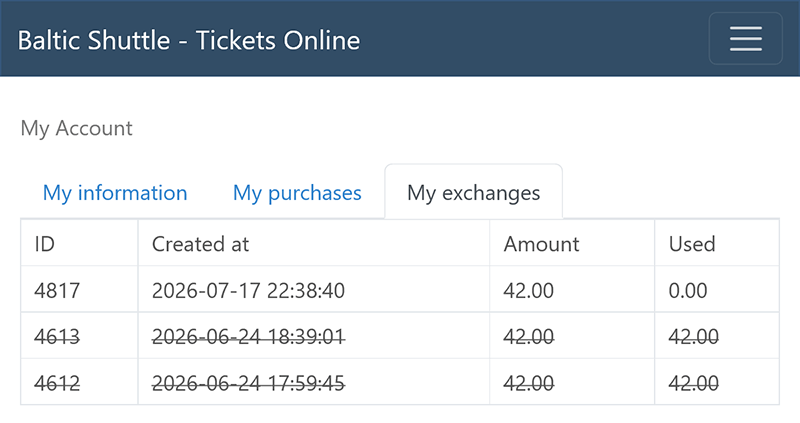
Log in to your account (with Email and password), select the new trip you want to rebook and when choosing a payment method use the remaining balance in your account to buy the new tickets. If the value of the new tickets exceeds the balance, you will be required to pay the difference.
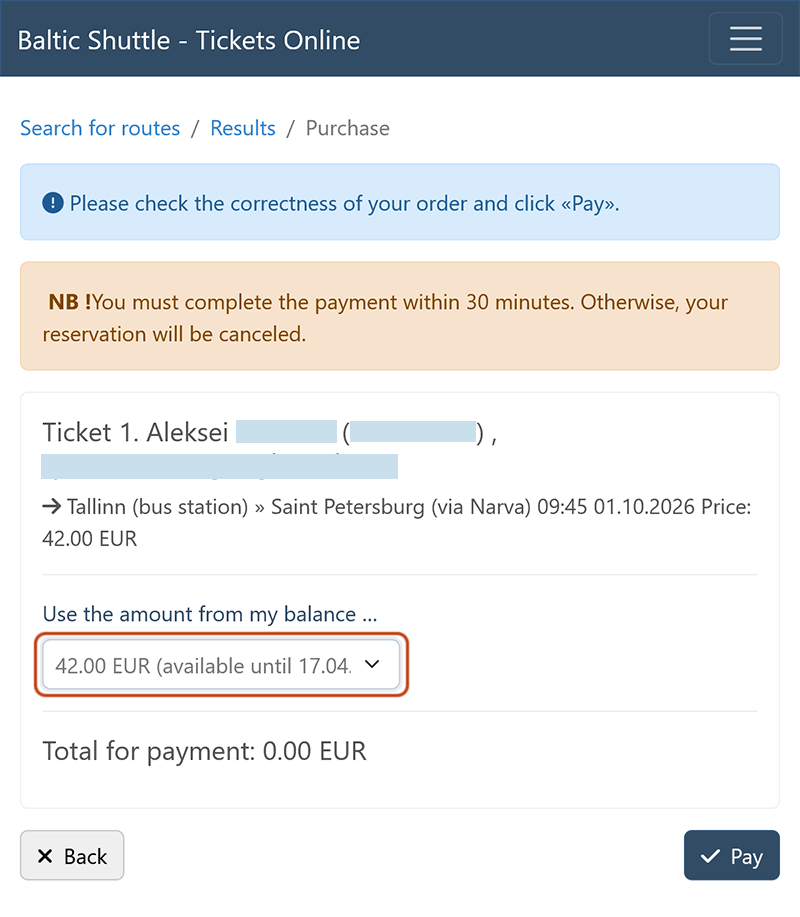
Ticket exchange balances cannot be returned to your bank or card account. However, you can purchase new tickets using your exchange balance and then return those tickets.
Tickets received through dispatchers (without an order number and PIN code) can be exchanged no more than once.
Ticket refund
Information on the return of tickets and funds is available on a separate page.